Installation
PROTO Game Asset Tools requires Blender 4.2 or newer
PROTO Game Asset Tools is an official Blender Extension and can be installed 3 ways:
- Via the Blender Extensions Website
- Via the Get Extensions menu, or
- Manually downloading a .zip and installing locally
Installing via Blender Extensions Website
Installing from the Blender Extensions Page is easy. Just drag-and-drop from the webpage into Blender’s window.


This requires enabling Online Access inside Blender. Blender will prompt you to do this when you try to install.
Installing via Blender Extensions Menu
You can also install the add-on from the Get Extensions menu inside Blender
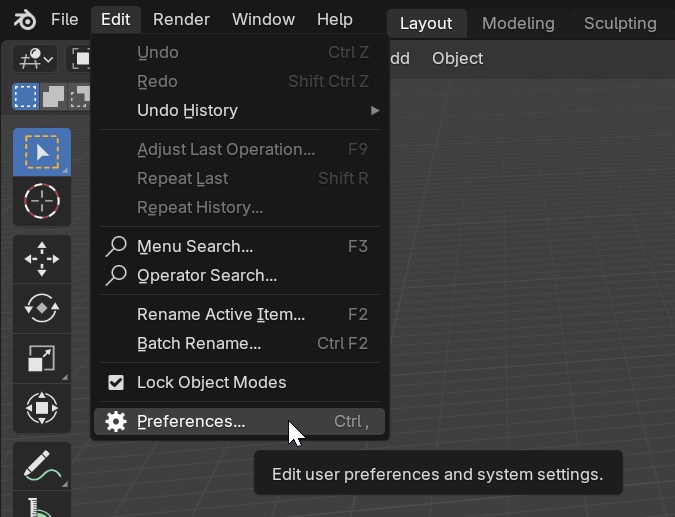
Open Blender and navigate to Edit > Preferences…
Open the Get Extensions tab. Then, if Online Access is not enabled yet, click the button to turn it on.

Witth Online Access enabled, search for the add-on in the search bar, and click the button to install it.

Installing via Download
If you prefer, you can use the link below to download the add-on as a .zip file and install it manually.

Download .zip
Direct download for local installation
After downloading do not un-zip the .zip file. You will install the .zip directly.
Open Blender and navigate to Edit > Preferences…
Open the Add-ons tab. In the top right, click on the little arrow and select Install from Disk…
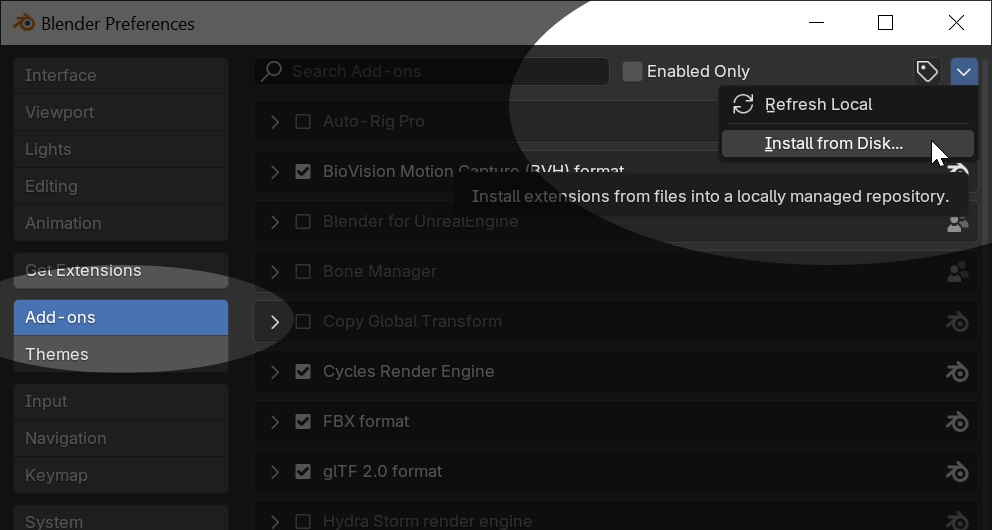
In the fileviewer, find the downloaded .zip file and select it to install.
Game Asset Tools Viewport tab
With the add-on installed, you should now see a Game Asset Tools tab on the right side of any viewport.
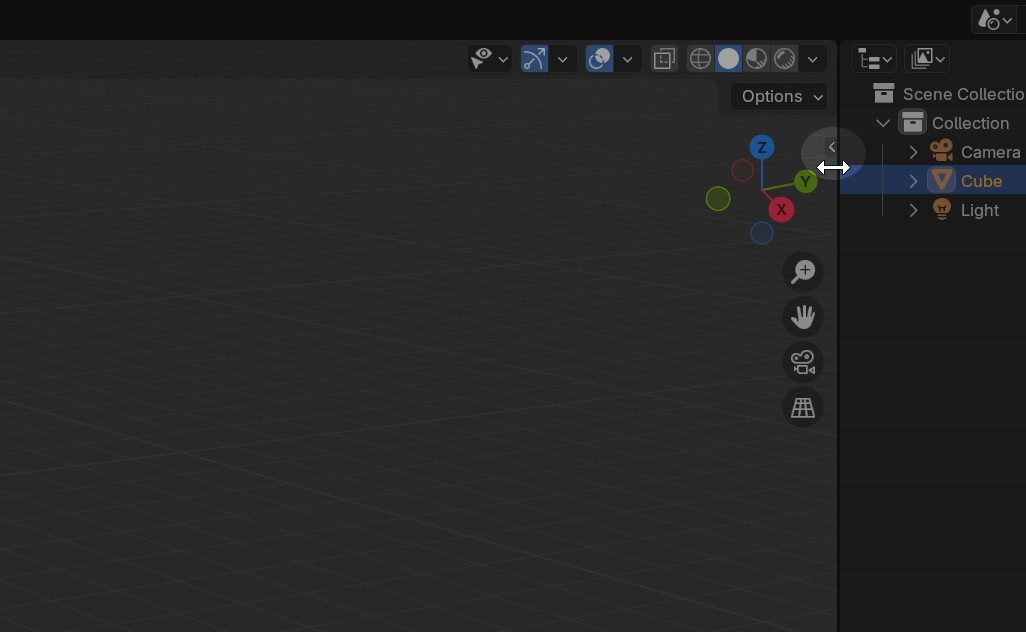
If you don’t see any tabs, you probably need to expand them. Drag open the small arrow tab on the top right of the viewport, or press the N key to toggle it open and closed.